
The gap between a good and a bad tool is measured in factors on a 3D project. Navigation, cuboid adjustment and point selection are gestures repeated thousands of times, and their fluidity weighs more on a budget than a team’s hourly rate.This article sets out what a tool must permit. It extends the article on sensor fusion.
What a 3D tool must supply
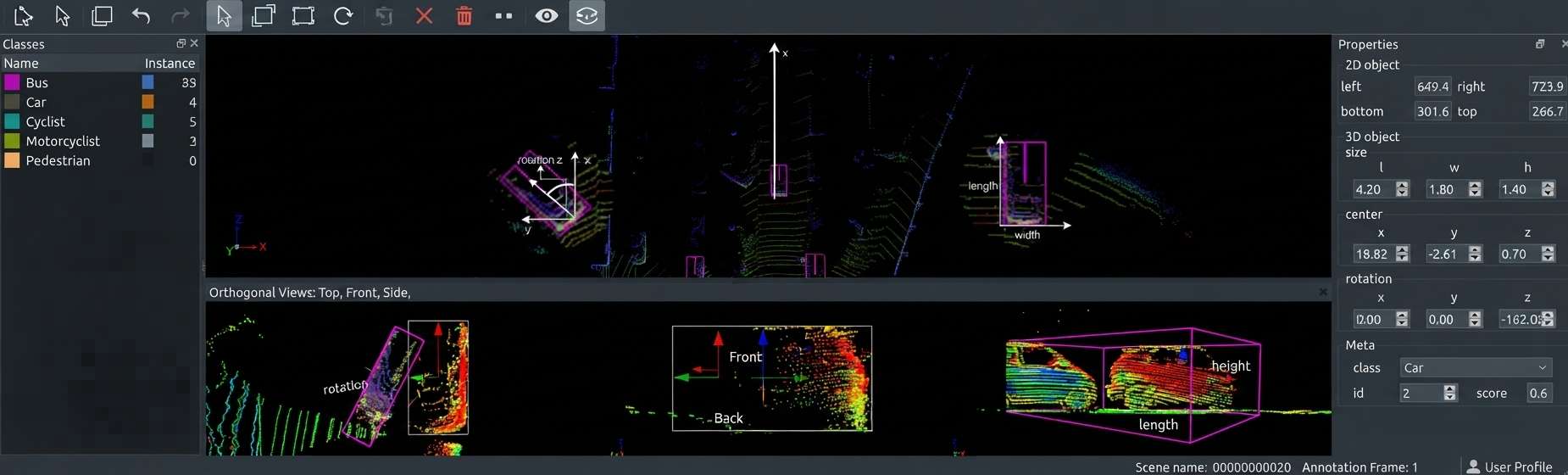
Seven functions distinguish a genuine 3D annotation tool from an adapted image tool.Free navigation around the scene, with fluid rotation, translation and zoom.Orthogonal views, top, side and front, indispensable to precise adjustment.Adaptive rendering, which displays a large cloud without collapsing performance.Creation and adjustment of cuboids with axis constraint.Point selection by volume and by propagation.Projection onto an image where a camera accompanies the sensor.And export in a format preserving the project’s conventions, including the ones the tool itself does not enforce.One important practical consequence follows. The absence of the second function does not slow the work down, it makes dimensional adjustment approximate, which makes it disqualifying rather than incidental in 3D annotation.What performance changes
This non-functional property dominates the real experience.It appears in no 3D annotation comparison chart.A cloud of several million points demands far more of a machine than an image does.Four concrete consequences follow.A jerky rotation makes judging orientation tedious and imprecise.A loading delay discourages examining additional scenes.Fatigue sets in faster, which degrades quality towards the end of a session.And annotators work around the tool, reducing the display or skipping verifications.One important observation follows. This behaviour is tested only on the project’s real clouds, a demonstration on a lightened scene predicting nothing about daily use in 3D annotation.The families of tool
Four categories occur in 3D annotation.Their economics differ markedly.Self-hosted open platforms, which offer full control and presuppose an operations competence.Commercial platforms specialised in 3D, which remove that burden and place the data with a third party.Point cloud processing software repurposed for annotation, powerful on manipulation and weak on team management.And bespoke development, justified by a geometry no tool offers and rarely worthwhile otherwise.One practical consequence follows. The third category appeals to technical teams and fails in production, the absence of assignment, validation and logs being paid for as soon as several people work in 3D annotation.What self-hosting brings
Four benefits justify this configuration in 3D annotation.Control of the processing location, a disqualifying requirement where scenes contain sensitive industrial data or identifiable people.No transfer to a third party, which removes a risk surface and a clause to negotiate.Control of access, each consultation being logged on a controlled infrastructure.And independence from a supplier, a change of pricing not affecting a project under way.Three burdens accompany it.Operating the infrastructure, graphics sizing included.Updates and their validation.And the storage volume, a corpus of clouds far exceeding an image corpus of equivalent coverage.What distinguishes a cuboid tool
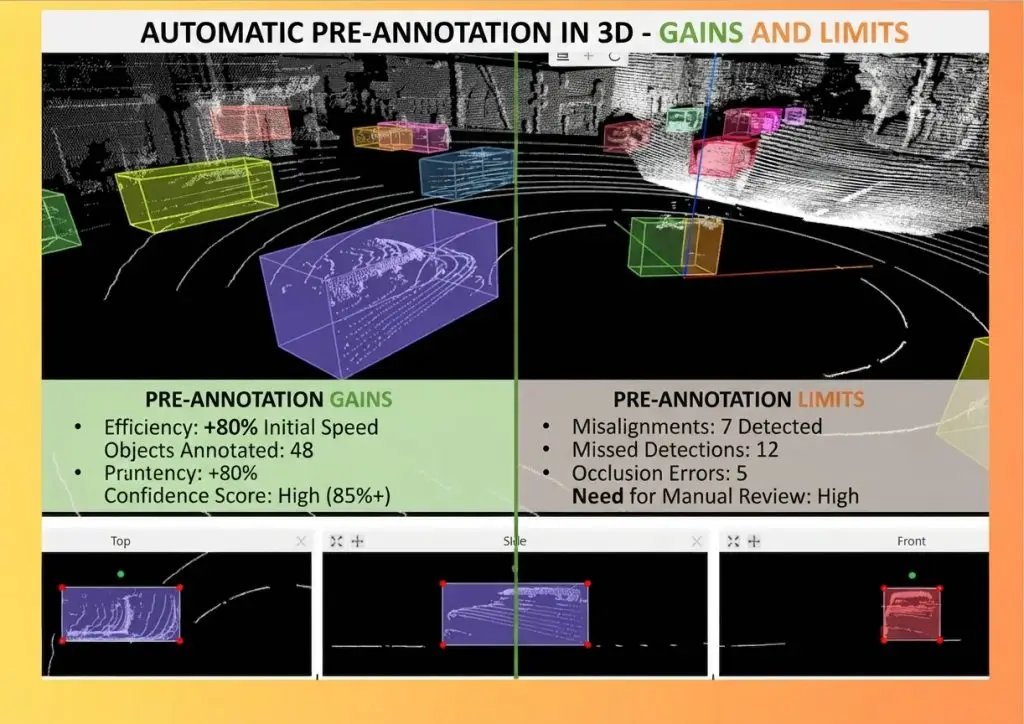
Five functions matter where the task is enclosing objects.Adjustment by face rather than by vertex, an extrapolation bearing only on the unobserved face.Orientation constrained to a single axis, which avoids spurious tilts.Display of dimensions in real units during adjustment.An immediate alert where a dimension falls outside the expected range for the class.And propagation of a cuboid between successive scenes where a sequence is handled.One observation follows for a 3D annotation project. The fourth function turns the table of dimensional ranges into an active safeguard rather than a reference document, which corrects the error at the moment it occurs rather than at control.What distinguishes a segmentation tool
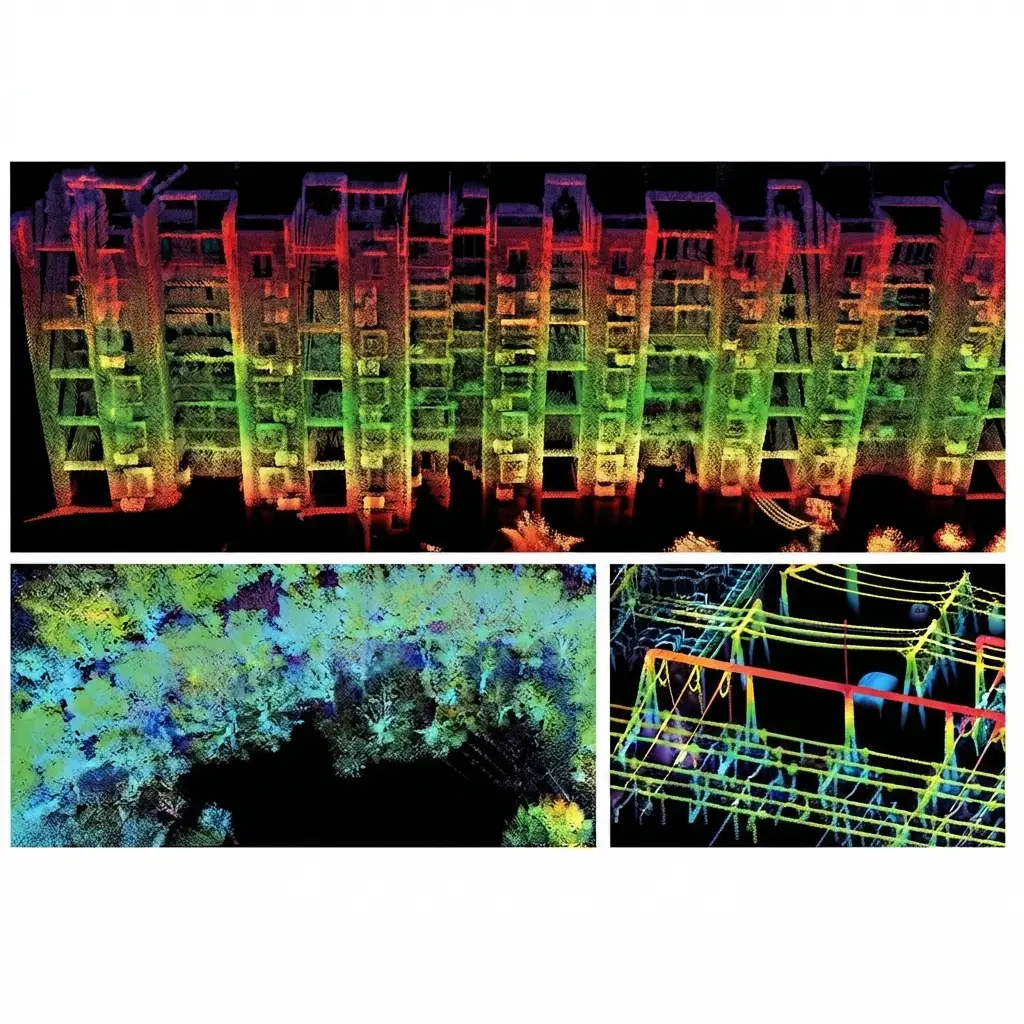
Five functions matter where the task is classifying point by point.Selection by drawn volume, lasso or box, with addition and removal.Configurable propagation, whose settings differ by class treated.Height filtering, which isolates the ground in one gesture.Per-class display with selective masking, indispensable for working beneath a layer already handled.And fine undo, an unfortunate gesture affecting thousands of points.One important practical consequence follows. The fourth function is the most decisive and the most often absent, an annotator not being able to reach points beneath already classified vegetation without temporarily masking it.Handling sequences
One requirement is added where scenes follow one another and it is often absent.Five functions condition 3D annotation work on a run of scenes.Temporal navigation between successive scenes, with no full reload.Identity persistence, an object keeping its identifier from scene to scene.Propagation of a cuboid to the next scene, with adjustment rather than recreation.The aggregated view, which superimposes several scenes and reveals an object’s trajectory.And detection of track breaks, which flags interrupted identities.One important observation follows for a 3D annotation project. The fourth function is specific to this field and very effective, superimposing successive scenes making an inconsistent trajectory visible at a glance where a scene-by-scene examination would not reveal it.What the tool must permit a team
Five functions concern organising a 3D annotation team.They bear on organisation rather than on the gesture.Assignment of scenes to annotators with progress tracking.The validation circuit, which distinguishes an annotated batch from a verified one.Version management, without which a correction overwrites the earlier state.Activity logs, the only source of real throughput.And rights management, which restricts access to sensitive data and to specific sites.One observation follows for a 3D annotation project. The fourth function is the most underestimated, the logs supplying the data feeding every later costing and not being reconstitutable afterwards.What the export must preserve
Six pieces of information must survive a 3D annotation delivery.The frame convention, origin and axis orientation.The cuboid orientation convention, direction of rotation and angular origin.The attributes, occlusion and confidence notably.The track identifier where scenes form a sequence.The calibration parameters in a multi-sensor configuration.And the class table, without which the numeric values mean nothing.One practical consequence follows for a 3D annotation project. The first produces the most expensive error, two corpora using different axis conventions appearing compatible until a model fails entirely on one of them.The assistance functions
Four levels occur in 3D annotation.Their availability varies strongly.Automatic ground removal, available everywhere and immediately worthwhile.Automatic fitting of a cuboid to a selected cluster of points.Detection proposals from a generalist model.And integration of the client’s own model, rarer and the most worthwhile on a durable project.One important observation follows. The first level is the most worthwhile relative to its simplicity, the ground often representing the majority of points in an outdoor scene and its automatic handling freeing most of the time for the rest.The preprocessing upstream of the tool
Four operations are conducted outside the platform and considerably lighten 3D annotation work.Subsampling, which reduces an overly dense cloud with no loss of useful information.Filtering isolated aberrant points, which removes a permanent visual nuisance.Division into scenes of homogeneous size, which makes the load predictable and the work parallelisable.And ground removal, an automatic operation freeing most of the volume.One practical consequence follows for a 3D annotation project. Those four operations are programmed once and apply to every batch, which makes them an investment whose return exceeds that of most integrated assistance functions.Sizing a 3D platform
Four resources condition a 3D annotation platform’s fluidity. Underestimating them produces most of the disappointments.Graphics memory, which determines how many points can be displayed without degradation.System memory, which bounds the size of loadable scenes.Fast storage, a large cloud having to load in a few seconds.And bandwidth, several annotators loading simultaneously saturating an ordinary network.One observation follows for a 3D annotation project. The first resource distinguishes this field from image annotation, an ordinary workstation sufficing for images and becoming limiting for clouds of several million points.Training on a 3D tool
Six competences distinguish a trained 3D annotator, and they are not acquired by use alone.Systematic recourse to orthogonal views for adjusting, the perspective view serving to verify.Reading the displayed dimensions rather than judging size visually.Tuning propagation according to the class treated.Masking already handled layers before tackling the next.Using the navigation shortcuts, a gesture repeated thousands of times a day.And flagging an uncovered case rather than taking an arbitrary decision.One practical consequence follows for a 3D annotation project. Those six competences are taught in a day and they produce a throughput gap larger than the one separating two tools, which makes training more worthwhile than changing platform.What the tool must let you measure
Five pieces of data condition the steering of a 3D annotation project. They must be extractable.Time spent per scene and per annotator, the basis of any throughput measurement.The number of objects and points handled, which against the time gives the real productivity.The split of time between creation and correction, which distinguishes a production from a rework.The rejection rate at validation, which measures upstream quality.And the rate of objects marked uncertain, an indicator to interpret in both directions.One observation follows for a 3D annotation project. The third is specific to this field and highly revealing, a rising share of correction signalling either an unstable convention or badly tuned assistance, two causes the total time masks.The complete chain
An arrangement occurs frequently and it is better designed than endured.A 3D annotation chain combines several components rather than one tool.Five stages are clearly distinguishable.Preprocessing, subsampling, filtering and division, done by scripts upstream.Pre-annotation, ground removal and model proposals.Annotation, on the chosen platform.Automatic control, run on the exports rather than in the tool.And conversion to the format the client expects.One important practical consequence follows. The fourth component is the most worthwhile and the least often present natively, the dimensional plausibility and intersection checks being programmed outside the tool and applying to every batch.Evaluating a tool before committing
Six trials suffice to qualify a 3D annotation tool.They take a day.Load a real cloud from the project rather than a demonstration scene.Measure the time for rotation and for changing view.Annotate a complete cuboid with face-by-face adjustment and verify the displayed dimensions.Segment a zone using propagation and observe its spillovers.Export and read back the file, looking for the six pieces of information set out above.And have an annotator use the tool for a full session.One important practical consequence follows. The sixth trial reveals difficulties no function list shows, and it costs a day where a bad choice costs a project.Three trials before signing
Three trials suffice to rule out most bad tool choices.Load the project’s largest real cloud and rotate around it while measuring the fluidity.Place a cuboid from the top view then adjust a single face, verifying that dimensions display in real units.Export and open the file, looking explicitly for the frame convention and the angular convention.Those three trials concern what makes a tool usable rather than what appears on a product sheet, and a tool that passes them suits the great majority of 3D annotation projects. A tool that fails any one of them will not be rescued by the functions it does have.When bespoke development is justified
Three situations make a development worthwhile in 3D annotation.A geometry no tool offers, a domain representation reducing to no existing primitive.Strong integration into an application flow, annotation having to fit in rather than constitute a separate step.And a considerable recurring volume, where a gain of a few percent amortises a development.Three signals indicate on the contrary that it is not justified.The stated need reduces to an existing function under another name.The motivation is an ergonomic irritation rather than an impossibility.And the project is a one-off, a development amortising only over repetition.One observation follows. The second signal is the most frequent, an irritation appearing to justify a development where it is treated by a configuration change, a preprocessing step or training.Migrating from one tool to another
Four difficulties accompany a change mid-project.Converting the existing annotations, whose orientation and frame conventions do not always have an exact equivalent.Loss of the histories, logs and versions generally not migrating.Retraining, the shortcuts and reflexes acquired being tool-specific.And temporary coexistence, two tools producing exports to be harmonised.One observation follows for a 3D annotation project. The first difficulty is more severe than in image annotation, an angular convention with no equivalent forcing either a recomputation of every orientation or a dedicated conversion.What a tool does not solve
Four difficulties persist whatever the 3D annotation tooling.The conventions, which no function replaces.Undecidable cases, an object too sparsely sampled staying undecidable with the best tool.Training, a powerful tool used without method producing fast and inconsistent work.And the choice of scope, geometry and maximum distance belonging to scoping rather than to tooling.That third difficulty deserves emphasis. It means a change of tool does not correct a quality problem whose origin is methodological, a frequent and expensive substitution.Approaching the choice of a tool
Five questions scope the choice of a 3D annotation tool.Can the data leave the client’s infrastructure. That answer settles between self-hosted and hosted.What geometry does the project require. Cuboids and segmentation call for different functions.Does an image accompany the cloud. That answer makes projection necessary.How large are the real scenes. That answer determines the performance requirements.And which team will work on it. That answer determines the need for collective functions.Those five answers reduce the choice to a few candidates. Asking them before comparing avoids a selection founded on functions no project will use.The question that settles the choice
One question narrows the field faster than any comparison chart.Is the principal task enclosing objects or classifying surfaces.A cuboid-oriented answer puts orthogonal views, face-by-face adjustment and the dimensional alert first.A segmentation-oriented answer puts configurable propagation, per-class masking and large-volume rendering first.Those two sets of functions overlap little, and a tool excellent at one is frequently mediocre at the other, which makes this question prior to any comparison.Three decisions before starting
Three tooling decisions commit the rest of a 3D annotation project.Settling between self-hosted and hosted on the processing location question, a precondition ruling out some candidates.Designing the preprocessing before choosing the platform, since it lightens the load more than most integrated functions.And programming the automatic checks outside the tool, which makes them independent of any later change of platform.Those three decisions cost a few days, they precede the first scene, and they protect the project from a dependency on a tool nothing guarantees will suit to the end.What this chapter teaches
One cross-cutting observation deserves closing this examination.The tool determines what is feasible and not what is good.Three findings compose it.Orthogonal views and per-class masking make certain tasks practicable rather than fast, which makes them disqualifying.Performance on real clouds weighs more on throughput than functional richness.And the dimensional alert turns a reference table into an active safeguard, which corrects at entry rather than at control.That finding matches the one the video cluster established about tools: they move the starting point without moving the limiting factor, which remains the documented definition of what is being annotated.Why the tool question is different here
One observation belongs at the close, since 3D tooling behaves unlike its image equivalent commercially.The field has fewer mature options and they diverge more sharply than image tools do.Three properties of the 3D annotation market produce that.The market is smaller, which means fewer vendors have invested in the rendering work a large cloud demands.The two principal tasks pull the design in opposite directions, so a tool built around cuboids and one built around segmentation are genuinely different products rather than variants.And the conventions are less standardised, so exports diverge in ways that make switching costly rather than inconvenient.One practical consequence follows for a 3D annotation provider. Those three properties make the tooling choice more consequential here than in image work, and they reward a provider who has done the evaluation once properly, since the result holds across projects where an image tool choice would be reconsidered each time.Common mistakes
These failures recur often enough that naming them is usually enough to avoid them.- Judging a tool on a lightened demonstration scene.
- Adopting processing software with no team functions.
- Overlooking the absence of orthogonal views.
- Choosing without having read back the exported file.
- Omitting the frame convention at export.
- Undersizing the graphics memory of the workstations.
- Using one propagation setting for every class.
- Selecting a tool on functions the project will not use.
- Omitting the activity logs, the only source of real throughput.
- Expecting a change of tool to correct a convention problem.